Authentication for Users
Most endpoints in our API requires the user to be authenticated. For this we use OAuth2.
To get started with this you'll need an OAuth client, which you can configure from the web app, by going to the Developer tools page
Since you're only accessing your own data and will be using client_credentials, you don't need to worry about the redirect URI.
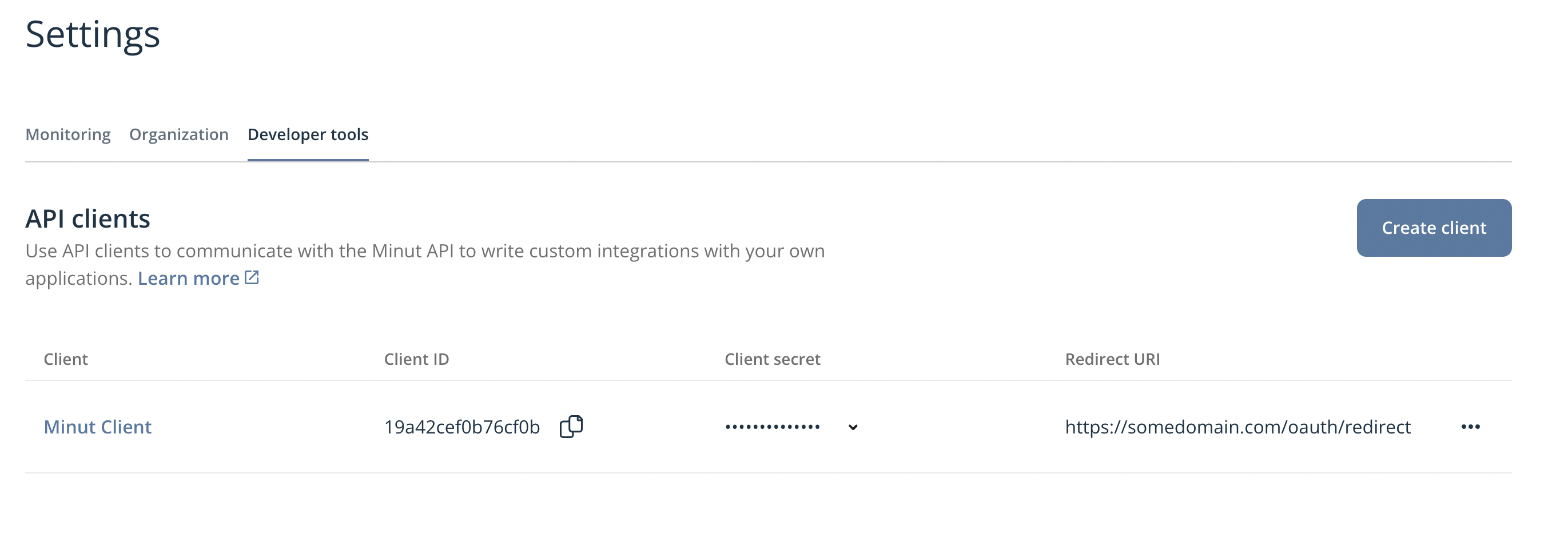
Before making requests you first need to aquire an access token. As you're only interested in your own data, the OAuth 2.0 Grant type you should use is the client_credentials grant. This is by far the simplest grant type, and you should be able to be up and running in minutes.
Token request
To get an access token you need to make a request to the /oauth/token endpoint:
- Curl
- Typescript
curl  --request POST 'https://api.minut.com/v8/oauth/token' \
      --header 'Content-Type: application/x-www-form-urlencoded' \
      --header 'Authorization: Basic Base64(CLIENT_ID:CLIENT_SECRET)' \
      --data-urlencode 'grant_type=client_credentials' \
      --data-urlencode 'response_type=token'
import axios from 'axios';

const CLIENT_ID = 'YOUR_CLIENT_ID'
const CLIENT_SECRET = 'YOUR_CLIENT_SECRET'

const authHeader = `Basic ${Buffer.from(`${CLIENT_ID}:${CLIENT_SECRET}`).toString('base64')}`
const headers = {
  'Content-Type': 'application/x-www-form-urlencoded',
  Authorization: authHeader,
}
const body = new URLSearchParams({
  grant_type: 'client_credentials',
  response_type: 'token',
})

const response = await axios.post(
    'https://api.minut.com/v8/oauth/token',
    body,
    { headers },
  )
const accessToken = response.data.access_token;
This will result in a response like this:
{
  "access_token": "eyJ0eXAiOiJKV1QiLCJhbGciOiJIUzI1NiJ9.eyJ1c2VySWQiOiI5ZWM3NmI1Zjk4NTExNGFhYjYyMzQ3MzciLCJyb2xlcyI6WyJjcmVhdGUtdXNlciJdLCJvcmdJZCI6Im1pbnV0Iiwic2NvcGUiOiIiLCJjbGllbnRJZCI6IkxvY2FsRGV2Q2xpZW50IiwiaWF0IjoxNjExNzM2ODI0LCJleHAiOjE2MTE3NDA0MjQsImlzcyI6Ik1pbnV0LCBJbmMuIn0.Vn2jSMV3J12_NHeX_2lPdhZywaF7aGzPKslE172_suA",
  "token_type": "Bearer",
  "expires_in": 3600
}
expires_in is the lifetime of the access token in seconds. Schedule a refresh against it rather than waiting for 401s — when it's about to expire, request a new token by repeating the request above.
Test your access token
If you want to verify that the token you got worked correctly, you can try out the /users/me endpoint:
- Curl
- Typescript
curl  --request GET 'https://api.minut.com/v8/users/me' \
      --header 'Authorization: Bearer ACCESS_TOKEN'
import axios from 'axios';

const response = await axios.get(
  'https://api.minut.com/v8/users/me',
  {
    headers: {
      Authorization: `Bearer ${accessToken}`,
    },
  },
  )
const user = response.data
and it should return a response similar to this:
{
  "user_id": "cc0904093ce855d4e2a9d224",
  "fullname": "Mr Minut",
  "email": "mrminut@minut.com",
  ...
}
This token has a limited lifetime (see expires_in above), so when you start receiving 401 Unauthorized responses, you need to request a new token. With the client_credentials grant you do this by repeating the token request above.